
What is the process of making a fitness app? It involves several key stages, from initial concept and planning to design, development, testing, and launching. This comprehensive guide will walk you through each step of fitness app development.
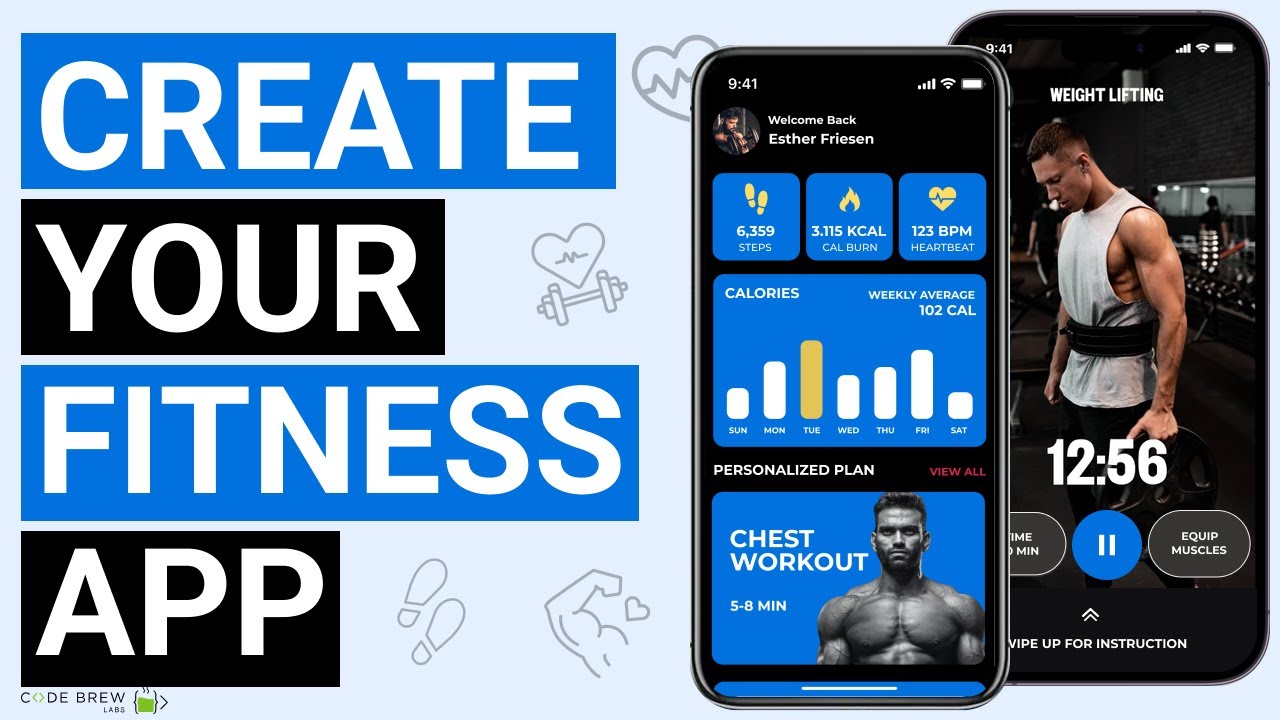
Image Source: i.ytimg.com
The Vision: What Kind of Fitness App Do You Want to Build?
Before diving into the technicalities, you need a clear vision for your fitness app. What problem does it solve? Who is it for? What makes it unique? These questions are crucial for defining your app’s purpose and target audience.
Identifying Your Niche and Target Audience
The fitness industry is vast. Are you focusing on:
- General fitness and well-being? Apps that offer a variety of workouts, nutrition tips, and progress tracking.
- Specific activities? Running, yoga, cycling, weightlifting, or HIIT.
- Specialized needs? Post-natal fitness, senior fitness, or rehabilitation exercises.
- Nutrition and diet? Calorie tracking, meal planning, and recipe suggestions.
- Mental wellness? Mindfulness, meditation, and stress reduction.
Knowing your target audience – their age, fitness levels, goals, and pain points – will shape every decision you make, from features to design. A personalized fitness app will resonate more deeply with specific user groups.
Defining Core Features for Your Workout App Creation
Every app has core functionalities. For a fitness app, these might include:
- Workout Library: Pre-recorded video or animated demonstrations of exercises.
- Workout Plans: Structured routines for different goals (weight loss, muscle gain, endurance).
- Progress Tracking: Logging workouts, body measurements, and performance metrics.
- Goal Setting: Allowing users to set and monitor their fitness objectives.
- Nutrition Tracking: Logging meals, calorie intake, and macronutrient breakdown.
- Social Features: Sharing progress, connecting with friends, or joining challenges.
- Wearable Integration: Syncing with smartwatches and fitness trackers.
Competitor Analysis: Learning from the Market
Thorough competitor research is vital. Look at popular fitness apps. What do they do well? Where do they fall short? Identify gaps in the market that your app can fill. Analyze their features, pricing models, and user reviews. This insight will help you differentiate your mobile fitness platform.
Planning Your Fitness App: The Blueprint
A solid plan is the foundation of successful building a fitness app. This phase involves detailing your app’s architecture, technology stack, and business model.
Choosing the Right Technology Stack
The technology you choose impacts performance, scalability, and development cost. Consider:
- Native App Development: Building separate apps for iOS (Swift/Objective-C) and Android (Kotlin/Java). Offers the best performance and user experience but is more costly.
- Cross-Platform App Development: Using frameworks like React Native or Flutter to build a single app that runs on both iOS and Android. Faster development and lower cost, but may have some performance limitations.
- Backend Technologies: Databases (e.g., PostgreSQL, MongoDB), cloud services (AWS, Google Cloud, Azure), and programming languages (Node.js, Python, Ruby).
Monetization Strategies for Your Wellness App
How will your app generate revenue? Common strategies include:
- Freemium Model: Offering basic features for free and premium features via subscription.
- Subscription Model: Unlocking all content and features with a recurring payment.
- In-App Purchases: Selling individual workout plans, virtual coaching sessions, or other digital goods.
- Advertising: Displaying ads within the app (less common for premium fitness experiences).
- Partnerships: Collaborating with gyms, trainers, or wellness brands.
Budgeting and Timeline Estimation
Fitness app development costs can vary significantly based on complexity, features, and chosen development approach. Create a realistic budget and timeline, factoring in design, development, testing, marketing, and ongoing maintenance.
Designing Your Fitness App: Crafting the User Experience
A great user interface (UI) and user experience (UX) are paramount for a fitness app. Users need to feel motivated and engaged. This is where exercise app design and fitness app UI/UX come into play.
User Flow and Wireframing
Map out how users will navigate through your app. Create wireframes – basic visual guides – to outline the placement of elements, navigation structure, and core functionalities.
- Onboarding: How will new users be introduced to the app and its features?
- Workout Selection: How will users find and choose workouts?
- Progress Logging: How easy is it to record workouts and measurements?
- Profile Management: How can users update their personal information and goals?
UI Design: Visual Appeal and Branding
The visual design of your app should be clean, modern, and inspiring.
- Color Palette: Use colors that evoke energy, health, and motivation.
- Typography: Choose readable fonts that enhance the aesthetic.
- Imagery and Video: High-quality visuals are crucial for workout demonstrations.
- Branding: Ensure your app’s design aligns with your brand identity.
UX Design: Intuitive Navigation and Engagement
A positive user experience keeps users coming back.
- Simplicity: Avoid clutter and overwhelming users with too many options.
- Intuitive Navigation: Users should easily find what they need without confusion.
- Feedback Mechanisms: Provide clear visual cues for user actions.
- Gamification: Incorporate elements like badges, leaderboards, and challenges to boost engagement.
- Personalization: Tailor content and recommendations based on user data. This is key for a personalized fitness app.
Key elements of effective fitness app UI/UX:
| Element | Description | Importance for Fitness Apps |
|---|---|---|
| Intuitive Navigation | Users can easily find workouts, track progress, and access settings. | Reduces frustration, encourages consistent use. |
| Clear Workout Display | Exercise demonstrations (videos/animations) are easy to follow; instructions are concise. | Ensures users perform exercises correctly, preventing injury and maximizing effectiveness. |
| Progress Visualization | Graphs and charts clearly show progress towards goals (weight, reps, distance, etc.). | Motivates users by visually demonstrating their achievements and improvements. |
| Goal Setting Interface | Simple and clear process for users to set and adjust their fitness objectives. | Helps users stay focused and motivated on their journey. |
| Customization Options | Ability to personalize workout plans, dietary preferences, and notification settings. | Creates a tailored experience, making the app more relevant and valuable to individual users. |
| Minimalistic Design | Clean layouts and uncluttered screens, allowing users to focus on the task at hand. | Prevents cognitive overload, especially during workouts when users may have limited attention. |
| Motivational Elements | Positive reinforcement, achievement badges, progress reminders. | Encourages continued engagement and adherence to fitness routines. |
| Accessibility | Ensuring the app is usable by people with disabilities (e.g., contrast ratios, font sizes). | Broadens the user base and promotes inclusivity. |
Development: Bringing Your Fitness App to Life
This is where your plans and designs are turned into a functional application.
Front-end Development
The front-end is what users interact with. This involves building the user interface based on your UI/UX designs.
- Platform-Specific UI: For native apps, you’ll use platform-specific UI components.
- Cross-Platform UI: Frameworks like React Native or Flutter allow you to build a single UI that adapts to both iOS and Android.
Back-end Development
The back-end handles data storage, user authentication, server logic, and API integrations.
- Database Management: Storing user profiles, workout data, progress logs, and content.
- API Development: Creating interfaces for communication between the front-end and back-end, and for integrating with third-party services (e.g., wearables, payment gateways).
- Server-Side Logic: Implementing features like workout recommendations, progress calculations, and user management.
Key Features to Consider for a Gym App Features
If you’re building a gym app features that targets gym-goers, consider these:
- Class Schedules and Booking: Allow users to view and book gym classes.
- Trainer Profiles and Booking: Connect users with personal trainers.
- Equipment Availability: Show which machines are free.
- Gym-Specific Workouts: Routines tailored to gym equipment.
- Membership Management: Integration for managing gym memberships.
- Loyalty Programs: Rewards for frequent gym visits or achievements.
Integrating with Wearables and Health Trackers
For a comprehensive health tracker app, integration is key.
- Apple HealthKit (iOS): Access health data from Apple devices and other compatible apps.
- Google Fit (Android): Similar functionality for Android devices.
- Wearable APIs: Integrate with popular brands like Fitbit, Garmin, and others to pull in activity data.
Building a Robust and Scalable Architecture
Your app’s architecture should be designed for growth.
- Microservices: Breaking down the backend into smaller, independent services can improve scalability and maintainability.
- Cloud Infrastructure: Utilizing cloud platforms (AWS, Google Cloud, Azure) provides flexibility, scalability, and reliability.
Testing: Ensuring Quality and Performance
Rigorous testing is essential to deliver a bug-free, high-performing app.
Unit Testing
Testing individual components of your code to ensure they function as expected.
Integration Testing
Testing how different modules of your app interact with each other.
User Acceptance Testing (UAT)
Inviting a group of real users to test your app and provide feedback before the official launch. This is crucial for validating the exercise app design and overall user experience.
Performance Testing
Checking how your app performs under various loads and network conditions.
Security Testing
Ensuring user data is protected and the app is secure from vulnerabilities.
Launching and Marketing Your Fitness App
A successful launch requires more than just deploying your app to the stores.
App Store Optimization (ASO)
Optimize your app store listing with relevant keywords, compelling descriptions, and high-quality screenshots and videos to improve visibility.
Marketing and Promotion
Develop a marketing strategy to reach your target audience.
- Social Media Marketing: Engage with potential users on platforms like Instagram, Facebook, and TikTok.
- Content Marketing: Create blog posts, videos, and guides related to fitness and health.
- Influencer Marketing: Partner with fitness influencers to promote your app.
- Paid Advertising: Run targeted ad campaigns on social media and search engines.
Post-Launch: Continuous Improvement and Maintenance
The launch is just the beginning. Ongoing maintenance and updates are crucial for long-term success.
Gathering User Feedback
Actively solicit feedback from your users through surveys, in-app prompts, and app store reviews.
Analyzing User Data
Use analytics tools to track user behavior, identify popular features, and pinpoint areas for improvement.
Iterative Updates
Regularly release updates with new features, bug fixes, and performance enhancements based on user feedback and data analysis. This iterative process is key to evolving your mobile fitness platform.
Scaling Your Infrastructure
As your user base grows, ensure your backend infrastructure can handle the increased load.
Frequently Asked Questions (FAQ)
Q1: What is the average cost of developing a fitness app?
A1: The cost can range widely, from $30,000 to $200,000+ depending on the complexity of features, design, platform choice (native vs. cross-platform), and the development team’s location and experience. A simple health tracker app might be on the lower end, while an app with AI-powered coaching and advanced integrations will be on the higher end.
Q2: How long does it take to build a fitness app?
A2: A typical fitness app development timeline can range from 4 to 9 months or even longer. This includes planning, design, development, testing, and deployment. A more complex workout app creation with advanced features might take longer.
Q3: Can I build a fitness app without coding knowledge?
A3: Yes, you can use no-code or low-code app development platforms. However, these platforms may have limitations in terms of customization and scalability for highly sophisticated fitness app UI/UX and features. For a truly unique and robust personalized fitness app, custom development is usually recommended.
Q4: What are the essential features for a successful fitness app?
A4: Essential features often include a comprehensive workout library with video demonstrations, personalized workout plans, robust progress tracking, goal setting, and user profiles. Features like nutrition tracking, social sharing, and wearable device integration significantly enhance user engagement.
Q5: How do I make my fitness app stand out from the competition?
A5: Differentiation can be achieved through a unique niche, superior exercise app design and UX, innovative features (like AI coaching or augmented reality workouts), a strong community aspect, and effective wellness app monetization strategies that offer real value to users.
Q6: What are the best practices for fitness app UI/UX design?
A6: Focus on intuitive navigation, clean and motivational visuals, clear exercise instructions, easily digestible progress visualizations, and personalization options. The design should encourage consistent user engagement and make the fitness journey feel rewarding.
Q7: How can I monetize my fitness app effectively?
A7: Common monetization models include freemium (offering basic features for free and premium ones for a fee), subscription services for premium content or coaching, in-app purchases for specific plans or challenges, and potentially partnerships. The key is to provide significant value that justifies the cost.
Q8: What is the role of AI in fitness app development?
A8: AI can enhance fitness app development by enabling personalized workout recommendations based on user performance, providing AI-powered coaching, analyzing user form through computer vision, and offering adaptive training plans. This helps create a truly personalized fitness app.
By following these steps, you can effectively navigate the process of building a fitness app and create a successful mobile fitness platform that resonates with your target audience.