
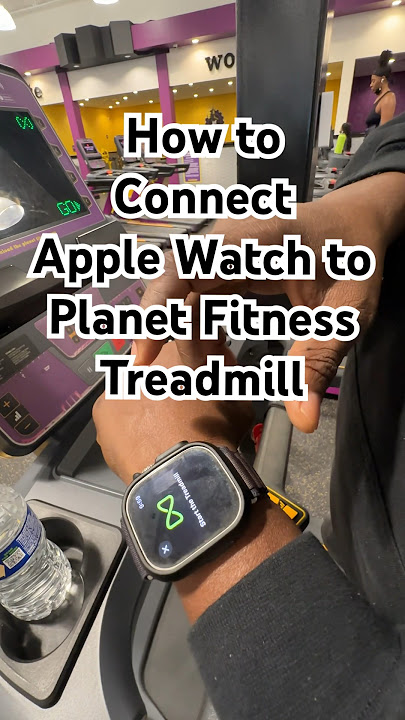
Image Source: i.ytimg.com
How To Connect Apple Watch To Planet Fitness Treadmill
Can you connect your Apple Watch to a Planet Fitness treadmill? Yes, you can, but it’s not always a direct, one-button connection like some newer gym equipment offers. This guide will help you sync your Apple Watch fitness tracking with your workout on the gym’s treadmills, enabling better workout data transfer and providing a more comprehensive view of your fitness journey. We’ll explore how to make your smartwatch connect to treadmill sessions and how gym equipment syncing works in this context.
Fathoming the Connection: The Basics
Planet Fitness treadmills, like many in commercial gyms, are designed for broad user compatibility. While they may not have the built-in smarts of some high-end home gym machines to directly pair with every brand of smartwatch, they often utilize technology that can be tapped into. The key lies in understanding the communication methods that both your Apple Watch and the treadmill employ.
Most modern treadmills, including those at Planet Fitness, broadcast their performance data using Bluetooth fitness devices technology. This is the same technology your Apple Watch uses to connect to headphones and other accessories. Your Apple Watch, in turn, is a powerful Apple Watch fitness tracking device, capable of recording a vast array of metrics from your workout. The goal is to bridge these two, getting the treadmill’s data into your Apple Watch ecosystem.
Deciphering Treadmill Capabilities
Planet Fitness treadmills primarily focus on providing a reliable cardio workout experience. They measure:
- Speed: How fast you’re moving.
- Incline: The steepness of the running surface.
- Distance: How far you’ve traveled.
- Time: How long your workout has been.
- Heart Rate: If you’re using compatible grips or a chest strap.
The ability to connect smartwatch to treadmill relies on the treadmill’s ability to broadcast this information. Many commercial treadmills do this through Bluetooth, often in a standardized format that various fitness apps and devices can interpret.
How Your Apple Watch Tracks Workouts
Your Apple Watch is a sophisticated fitness tracker. When you start a workout, it uses its internal sensors and GPS (if outdoors) to capture data. For indoor cardio activities like treadmill running, it relies on:
- Accelerometer and Gyroscope: These sensors measure your movement, stride length, and cadence.
- Heart Rate Sensor: This monitors your pulse throughout the workout.
- Calorie Burn Estimation: Based on your heart rate, movement, and personal biometrics (age, weight, height).
While your Apple Watch can estimate distance and pace on a treadmill based on your arm swing and cadence, it’s not as precise as data directly from the machine. This is where syncing comes in.
Methods to Connect Apple Watch to Planet Fitness Treadmill
Direct pairing from the treadmill’s console to your Apple Watch isn’t typically how it works at Planet Fitness. Instead, you’ll usually use an intermediary app or a specific feature on your Apple Watch to capture the treadmill’s broadcasted data.
Method 1: Using a Third-Party Fitness App (Most Common & Recommended)
This is the most reliable way to achieve gym equipment syncing and workout data transfer. Many fitness apps are designed to receive data from various Bluetooth-enabled gym machines and then send that data to Apple Health, where your Apple Watch data is stored.
Steps to Connect:
- Identify Treadmill Compatibility: Look for a Bluetooth symbol on the treadmill console. If you see one, it’s likely broadcasting data. You might see an option like “Connect Device” or “HRM” (Heart Rate Monitor).
- Download a Compatible Fitness App: Several apps can connect to gym equipment. Popular options include:
- Zwift: Primarily for cycling and running, but it can connect to treadmills that broadcast speed and cadence.
- Peloton App: While known for classes, it can connect to compatible Bluetooth equipment.
- Wahoo Fitness App: A versatile app for tracking workouts and connecting to various sensors.
- Kinomap: Offers virtual runs and connects to many cardio machines.
- Runkeeper: Can sometimes connect to Bluetooth heart rate monitors that the treadmill is also connected to.
- GymBuddy: Designed specifically for gym equipment syncing.
- Enable Bluetooth on Your Apple Watch/iPhone: Ensure Bluetooth is turned on in your iPhone’s Settings or directly from your Apple Watch’s Control Center.
- Open the Fitness App and Initiate Pairing:
- Launch your chosen fitness app.
- Navigate to the app’s settings or connection/sensor management section.
- The app will scan for nearby Bluetooth devices.
- Look for the treadmill’s broadcast name. It might be something like “LFConnect,” “NordicTrack,” or a specific model number.
- Select the treadmill from the list of found devices.
- Start Your Treadmill Workout: Once paired with the app, start your run or walk on the treadmill. The app should begin receiving data like speed, distance, and incline.
- Start a Workout on Your Apple Watch: Simultaneously, start an “Outdoor Run” or “Indoor Run” workout on your Apple Watch. It will continue to track your heart rate and movement.
- Sync and Verify Data: After your workout, the third-party app will save the data it received from the treadmill. Most of these apps have an option to sync with Apple Health. Once synced, you’ll see a combined or enriched workout record in your Apple Health app and the native Workout app on your Apple Watch. The app might use the treadmill’s distance and pace data to update your Apple Watch workout.
Table: Popular Third-Party Apps for Gym Equipment Syncing
| App Name | Primary Use Case | Treadmill Connection Type | Apple Health Sync | Notes |
|---|---|---|---|---|
| Zwift | Virtual cycling and running | Bluetooth FTMS (Fitness Machine Service) | Yes | Excellent for virtual run tracking; can make treadmill workouts more engaging. |
| Peloton | Instructor-led fitness classes | Bluetooth Power Profile, Heart Rate Monitor (HRM) | Yes | While it focuses on classes, it can receive basic sensor data. |
| Kinomap | Virtual runs, cycling, rowing with real videos | Bluetooth FTMS, Speed/Cadence sensors | Yes | Great for making cardio machine integration more visually appealing. |
| Wahoo Fitness | General workout tracking, sensor connection | Bluetooth sensors, including FTMS | Yes | A robust option for diverse fitness tracking. |
| GymBuddy | Syncs with various gym machines | Bluetooth sensors | Yes | Specifically designed for gym equipment syncing. |
Method 2: Using Apple Watch’s Native Heart Rate Monitoring
If the treadmill console doesn’t offer direct data broadcasting, or if the third-party app connection proves difficult, you can still leverage your Apple Watch for heart rate monitoring treadmill sessions.
Steps:
- Start an Indoor Run Workout on Your Apple Watch: Open the Workout app on your Apple Watch. Select “Indoor Run.”
- Place Your Apple Watch on the Treadmill Grip (Optional but Not Recommended): Some older treadmills might have grips that attempt to read heart rate. However, these are often inaccurate compared to your Apple Watch’s optical sensor. It’s best to wear your watch as usual on your wrist.
- Focus on Apple Watch Data: Your Apple Watch will track your heart rate, estimate calories burned, and approximate distance based on your movement.
- Manual Data Entry (Least Ideal): After your workout, you can manually enter the distance and pace from the treadmill display into a fitness app like Strava or MyFitnessPal, which can then sync with Apple Health. This doesn’t involve direct syncing but ensures some data is captured.
Why this is less ideal: You lose the precise distance and speed data from the treadmill itself, relying solely on your Apple Watch’s estimations, which can be less accurate indoors.
Method 3: Bluetooth Heart Rate Chest Straps (Indirect Sync)
This method is for enhancing your heart rate monitoring treadmill experience, not directly connecting the treadmill’s other metrics.
Steps:
- Wear a Bluetooth Heart Rate Chest Strap: Connect your chest strap to your Apple Watch or iPhone via Bluetooth.
- Start Treadmill Workout: Begin your workout on the Planet Fitness treadmill.
- Simultaneously Start Apple Watch Workout: Start an “Indoor Run” on your Apple Watch.
- Benefit: Your Apple Watch will now receive accurate heart rate data from the chest strap, which is generally more reliable for intense cardio than wrist-based sensors. The treadmill itself might also pick up the chest strap’s HR signal if it has that capability, but your Apple Watch will be the primary hub for consolidating this.
This method is excellent for improving the accuracy of your Apple Watch fitness tracking during treadmill sessions, but it doesn’t transmit speed or distance from the treadmill to your watch.
Troubleshooting Connection Issues
If you’re having trouble making your Apple Watch connect to treadmill:
- Check Treadmill Bluetooth: Ensure the treadmill is indeed broadcasting a Bluetooth signal. Look for the Bluetooth icon or settings on the console.
- Restart Devices: Turn off Bluetooth on your iPhone and Apple Watch, then turn it back on. Restart the treadmill console if possible.
- App Updates: Make sure the third-party fitness app you’re using is updated to the latest version.
- Proximity: Keep your iPhone and Apple Watch close to the treadmill during the pairing process.
- Other Bluetooth Devices: Disconnect your Apple Watch from other Bluetooth devices (like headphones) temporarily to avoid interference.
- Treadmill Specifics: Some treadmill models might have proprietary software or require specific apps. Check Planet Fitness’s website or ask a staff member if they have information on specific treadmill models.
- Update Apple Watch Software: Ensure your Apple Watch and iPhone are running the latest versions of watchOS and iOS.
Maximizing Your Treadmill Workouts with Apple Watch
Once you’ve successfully connected, you can enhance your cardio machine integration:
- Virtual Run Tracking: Apps like Zwift or Kinomap can overlay your run on a virtual course, making the experience more engaging. Your Apple Watch can then sync the data from these apps, giving you a richer virtual run tracking experience.
- Heart Rate Zones: Use the accurate heart rate data to train in specific heart rate zones, optimizing your calorie burn and cardiovascular conditioning.
- Progress Monitoring: The combined data in Apple Health provides a comprehensive overview of your progress, helping you identify trends and stay motivated.
- Workout Apps Gym Integration: Many workout apps gym utilize the data captured and synced to provide detailed post-workout analyses, including pace, heart rate variability, and recovery metrics.
What Planet Fitness Treadmills Offer for Connectivity
Planet Fitness typically equips its gyms with a range of cardio machines, including treadmills from brands like Life Fitness or Precor. These machines are generally designed with user convenience in mind. While not all models will have the most cutting-edge smart display for direct smartwatch pairing, most newer models will feature Bluetooth connectivity for heart rate monitors and potentially for data broadcasting using the standard FTMS (Fitness Machine Service) protocol.
- Bluetooth HRM Support: Most Planet Fitness treadmills will be compatible with Bluetooth heart rate monitors. This means if you use a separate chest strap, the treadmill’s console might display your heart rate, and your Apple Watch can also connect to the strap.
- Data Broadcasting (FTMS): This is the crucial element for true gym equipment syncing. FTMS is a Bluetooth standard that allows fitness equipment to broadcast workout data like speed, cadence, power, and incline. If the Planet Fitness treadmills support FTMS, this is how apps will receive the treadmill’s performance metrics.
The Role of Apple Health
Apple Health acts as the central repository for all your health and fitness data. When you use a third-party app that connects to the treadmill and then syncs with Apple Health, the treadmill’s data (speed, distance, incline) can be used to update or augment the “Indoor Run” workout recorded by your Apple Watch.
This means your Apple Watch workout summary will accurately reflect the distance and pace you achieved on the treadmill, not just the estimations based on your movement. This is invaluable for workout data transfer and maintaining an accurate fitness log.
Are All Planet Fitness Treadmills the Same?
No, Planet Fitness gyms may have different models of treadmills depending on the location and when the equipment was last updated. While many will share core features, the specifics of their Bluetooth capabilities can vary.
- Older Models: May only support Bluetooth for connecting heart rate monitors.
- Newer Models: Are more likely to support FTMS, enabling richer cardio machine integration and virtual run tracking.
If you’re unsure about a specific treadmill, look for the Bluetooth symbol on the console. You can also try searching online for the treadmill brand and model (often found on a sticker on the machine) along with terms like “Bluetooth FTMS” to see its capabilities.
Important Considerations for Apple Watch Fitness Tracking
- Accuracy: While syncing improves accuracy, remember that GPS is always best for outdoor distance. For treadmills, the direct data from the machine via Bluetooth is your most accurate source for speed and distance.
- Battery Life: Running multiple apps and Bluetooth connections can drain your Apple Watch battery faster. Ensure your watch is sufficiently charged before a long workout.
- Privacy: Be mindful of the data you share with third-party apps and review their privacy policies.
- Enjoyment: The goal is to make your workouts more effective and enjoyable. Experiment with different apps to find what works best for your Apple Watch fitness tracking and motivation.
Frequently Asked Questions (FAQ)
Q1: Can I connect my Apple Watch directly to the Planet Fitness treadmill screen?
A1: Typically, no. Planet Fitness treadmills are not designed for direct one-to-one device pairing with smartwatches like some newer home gym equipment. You will usually need an intermediary app.
Q2: Will my Apple Watch automatically track my treadmill workout at Planet Fitness?
A2: Your Apple Watch will track your workout by estimating movement, heart rate, and calories. However, without syncing with the treadmill’s data, its estimation of distance and pace for indoor runs may not be as accurate as the treadmill’s actual metrics.
Q3: What is FTMS and why is it important for connecting my Apple Watch to a treadmill?
A3: FTMS stands for Fitness Machine Service. It’s a Bluetooth standard that allows cardio machines to broadcast their performance data (speed, incline, distance, power, etc.) in a format that fitness apps and devices can understand. This is key for achieving true gym equipment syncing and accurate workout data transfer.
Q4: Which third-party apps are best for syncing my Apple Watch with a gym treadmill?
A4: Apps like Zwift, Kinomap, Peloton, and Wahoo Fitness are good options. They are designed to connect with Bluetooth-enabled gym equipment and often sync the data to Apple Health, enhancing your Apple Watch fitness tracking.
Q5: Do I need my iPhone with me to connect my Apple Watch to the treadmill?
A5: Yes, generally you will need your iPhone. The third-party fitness app that connects to the treadmill will run on your iPhone. Your Apple Watch then communicates with your iPhone, and both devices capture data. The iPhone app then syncs the treadmill data to Apple Health.
Q6: Can my Apple Watch track my heart rate on a Planet Fitness treadmill?
A6: Yes, your Apple Watch has a built-in heart rate sensor and can track your heart rate throughout your workout. For even more accurate heart rate monitoring treadmill sessions, you can pair a separate Bluetooth heart rate chest strap to your Apple Watch.
Q7: What if the Planet Fitness treadmill doesn’t have Bluetooth?
A7: If the treadmill doesn’t broadcast Bluetooth data, direct syncing of speed and distance is not possible. In this case, your Apple Watch will rely on its internal sensors to estimate your workout, and you can manually log the treadmill’s data into Apple Health or other workout apps gym for record-keeping.
Q8: How do I ensure the data from the treadmill appears in my Apple Watch’s Workout app?
A8: After your workout, the third-party app you used to connect to the treadmill should have an option to “Sync with Apple Health.” Once enabled, the treadmill data will update or be added to the workout recorded by your Apple Watch, giving you a more accurate picture of your performance. This is a vital step for effective workout data transfer.